How to Build an AI Help Center for Software Support

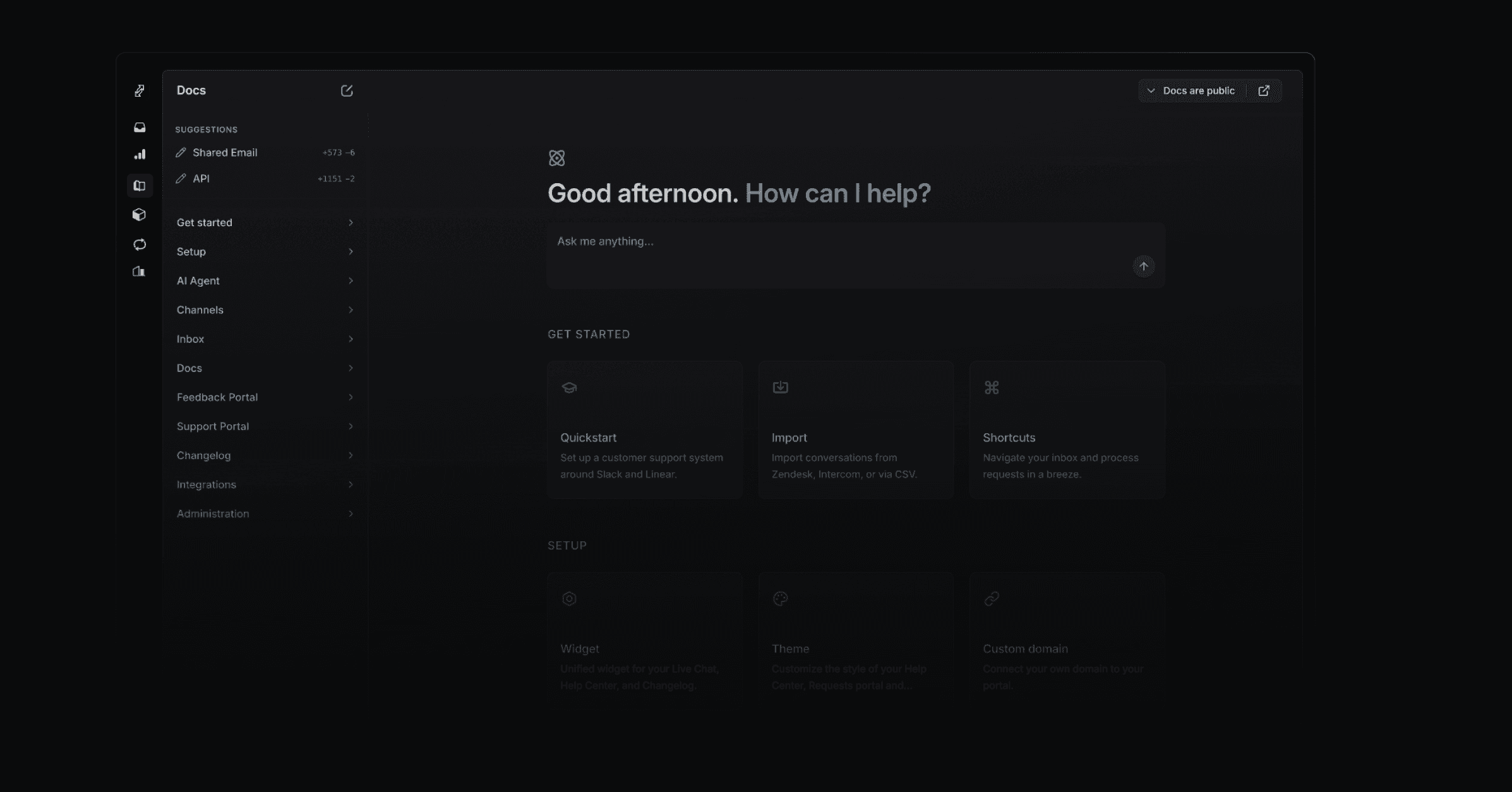
An AI help center gives customers answers from product knowledge. Productlane focuses on autonomous AI resolutions for software companies, especially B2B. Its connected codebase helps generate reference articles for the agent, while public documentation gives customers pages they can read themselves. This guide explains how to maintain both kinds of knowledge.
A useful help center explains the product as it works today. Review common support questions and update the articles that leave them unanswered. Codebase-derived knowledge can help cover detailed product behavior that public documentation has not described yet.
Measure autonomous resolutions separately from article visits and conversations that ended without a handoff. Vendor percentages use different populations and definitions. Test your own support questions before estimating the work an agent will remove.
This guide is a practical read on how to build an AI help center that actually deflects tickets, what to look for in AI knowledge base software, and how Productlane's self-updating help center is architected so the content stays fresh as your product ships.
What is an AI-first help center?
An AI-first help center is a knowledge base built around the assumption that an AI agent is the primary reader. Humans still read articles, and the design still has to be beautiful, but every structural decision optimizes for grounding: how easy is it for the agent to find the right passage, attribute it, and turn it into a correct answer?
In practical terms, three things change versus a traditional knowledge base:
- Content is structured for retrieval. Short articles with clear titles, one question per page, code samples and screenshots that the agent can cite. Long multi-section walls of text are split.
- Content stays in sync with shipped work. The agent that answers questions about a feature should be reading docs that reflect what shipped this week, not last quarter.
- The help center is reachable from inside the product. The deflection happens in-app, in the moment of confusion, not after a customer has already opened a ticket.
How to measure autonomous resolutions
Agree on the measurement before evaluating an AI help center. These two metrics answer different questions:
Resolution rate (the honest metric)
Resolution measures whether the customer received a complete answer under your chosen definition. Document the population and any reopen window. Billing definitions can differ from evaluation definitions, so review each vendor's terms separately.
Containment rate (the noisy metric)
The share of sessions that ended without a human handoff. This includes customers who simply gave up. Containment looks great in a demo and tells you very little about whether anyone actually got their answer.
Use a consistent definition across your trial. A fixed percentage target is useful only when the measured customer questions and observation period are clear.
The four properties of an AI-first help center
Every AI help center that consistently deflects more than half its inbound volume in 2026 shares the same four properties. Audit your current setup against this list before changing tools.
1. Content that's fresh by default
The fastest path to a low deflection rate is documentation that drifts. The customer asks about a feature that shipped last week, the agent retrieves an article describing the version from six months ago, and the answer is technically grounded but practically wrong. Treat freshness as a first-class property of the help center, the way an engineering team treats green CI. If your docs depend on a human remembering to write them after every release, they will drift.
2. Grounding in the same sources engineering uses
The AI agent should read from the same source of truth your engineers do: shipped Linear issues, merged GitHub pull requests, and the actual product behavior. Bolting an AI agent onto a static help center is the most common mistake teams make when they migrate. The result feels like a chatbot reading a PDF. The fix is wiring the agent into the same systems your team writes code in.
3. Search that feels conversational
Customers in 2026 expect to type a full question and get a direct answer, with the article cited underneath. The old-school keyword search experience (type two words, scan ten links) belongs to a different decade. An AI knowledge base should default to conversational search at the top of the help center, with article browsing available for the customers who still want it.
4. Embedded in the product
The highest deflection happens before a ticket exists. A customer hovers over an unfamiliar setting, opens the in-app widget, asks a question, and gets a grounded answer with a link to the relevant article. The conversation is over in 20 seconds and no ticket is created. A help center that lives only on a separate subdomain never gets that chance, because the customer has already left the product to find it.
How Productlane's AI help center stays fresh automatically
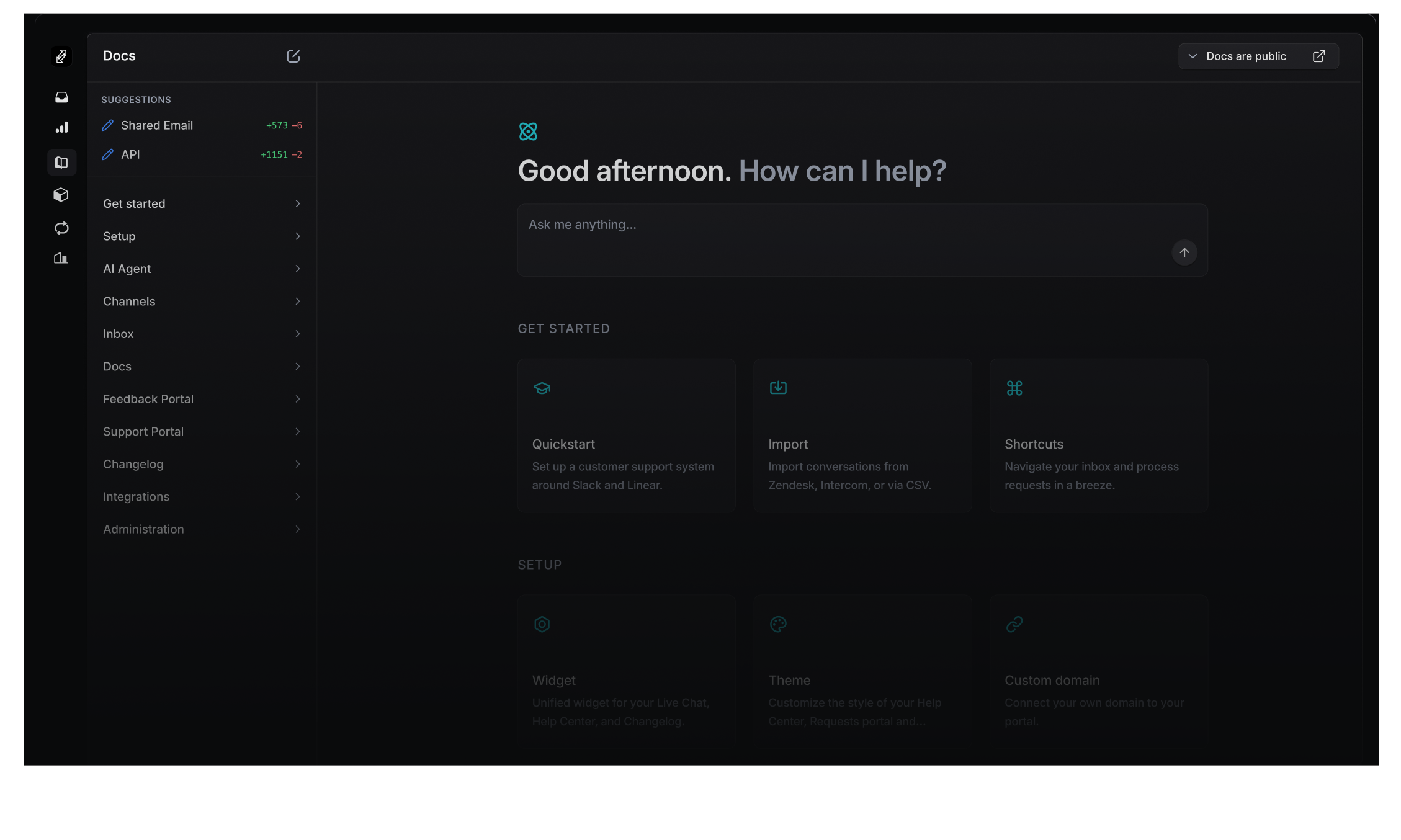
We built the Productlane help center around the four properties above. The piece teams ask about most is the self-updating part, so here's exactly how it works.
Autonomous support for software companies
The Productlane Agent answers detailed product questions with knowledge from your connected codebase.
Try the agentThe Productlane help center: conversational search at the top, articles underneath, grounded in your Linear workspace and the new GitHub integration.
Linear issues are the trigger
When a Linear issue is marked Done, Productlane checks whether the customer-facing surface area changed. If it did, it kicks off a help center draft. Your support team gets a proposed article (or update to an existing one) with a one-click approve in the Productlane editor. The end state is a help center where articles reflect what actually shipped, on the same day it shipped, with a human still in the loop on the wording.
Product knowledge from the codebase
Connect the repository your team selects. Productlane can use code context when drafting knowledge about the product. Its agent-article workflow describes the screens customers use, while documentation proposals support updates your team reviews.
Past conversations close the loop
Every conversation your support team handles becomes signal. Productlane surfaces a weekly summary of the questions customers asked the AI agent and the searches that returned nothing useful. That list is your highest-ROI docs backlog: write those articles first, and your deflection rate moves visibly the next week. The AI agent itself also retrieves from past resolved conversations, so a one-off answer your team gave in Slack becomes context the agent can reuse the next time the same question lands.
Separate knowledge by audience
Public help articles and agent reference articles have different visibility. The agent can use an agent article to answer a question, but customers cannot open that article as a public help page. Internal articles stay outside the customer agent's retrieval.
Embedded in 47 languages, on your domain
The help center embeds directly in your app via the Productlane widget. Customers see content in their browser language across 47 languages, automatically translated. Host it on your own domain, track which articles get traffic with Google Analytics, and link to specific pages from product tooltips. This is the surface where most of your deflection happens, so it has to feel like part of your product.
How to build an AI-first help center in five steps
Start with a representative sample of unanswered questions. Build the missing knowledge, test the answers, and repeat. The time needed depends on your product and the quality of the source material.
- 1
Audit your top 50 tickets
Export the last 90 days of resolved conversations and group them by topic. The top 20 topics typically cover 60 to 80% of volume. That list is your initial help center backlog. If you already have a help center, score each existing article against the top topics; gaps and stale articles are your first writing assignment.
- 2
Write for the AI as much as for humans
One question per article. A short, clear title that matches how customers actually phrase the question. Code samples that copy cleanly. Screenshots with descriptive alt text. Avoid burying the answer 600 words in. The retrieval model will reward concise, well-titled passages, and so will your readers.
- 3
Wire the agent to live sources
Connect your Linear workspace and GitHub repository so the help center stays in sync with shipped work. Connect your support inbox so past conversations become retrievable context. Review the resulting product knowledge and test it against real customer questions.
- 4
Embed the help center in-app
Install the widget on the product screens where customers get stuck most often. Link to specific articles from tooltips and empty states. Most of the deflection moves into the in-app surface, where customers find answers before opening a ticket.
- 5
Review the weekly question report
Every week, read the list of questions the AI agent couldn't answer confidently. Each one is a docs gap or a product fix. Write the missing articles, file the product issues in Linear, and watch the deflection rate climb week over week.
What our customers say
"Our customers consistently get a real 'wow' experience when we showcase our support portal, roadmap, and communication workflows. It has really helped make our software feel much more mature and transparent."
"The speed at which these guys develop new features is crazy! Productlane is truly one of those products where you feel like the team behind is reading your mind."
Frequently asked questions
An AI help center is a knowledge base built so an AI agent can read it, answer customer questions from it, and keep it in sync with the product. The articles are still readable by humans, but the structure (short articles, one question per page, clear titles, code samples) is optimized for retrieval. A good AI help center pairs with an AI support agent that answers from the same source.
There is no universal resolution rate for a software help center. Measure your own workload, including difficult product questions. Compare agents under the same conditions and review reopened conversations before claiming success.
Resolution rate measures how often the AI gave a complete, correct answer the customer accepted. Containment rate measures how often the session ended without a human handoff, including customers who gave up. Resolution is the honest number. Containment looks great in demos and tells you very little.
Yes, with a human in the loop on wording. When a Linear issue is marked Done, Productlane reads the linked GitHub commits and pull requests for the diff, drafts the help center article (new or updated), and surfaces it for one-click approval. The end state is a help center where articles reflect what shipped this week, and your support team spends minutes per release on docs instead of hours.
The GitHub connection gives Productlane access to the selected repository for product knowledge generation. It creates reference articles about customer-facing behavior. These agent articles are excluded from public help-center routes; connecting a repository does not grant customers access to it.
Yes. Productlane help centers run on your own domain by default. The widget that embeds the help center inside your app, the public help center site, and the AI search all inherit your branding. Built-in Google Analytics tracks the articles that get traffic, and content is auto-translated across 47 languages based on browser language.
Plain and Pylon both offer knowledge bases for their support platforms. Featurebase combines helpdesk and feedback with its AI agent. Productlane focuses on autonomous software resolutions backed by codebase-derived knowledge. Compare those workflows on your own questions, using the current support-tool comparison.
The timeline depends on article volume, integrations, and the knowledge gaps your trial uncovers. Verify an initial import, test real questions, and expand when the answers meet your standard. Avoid assuming a fixed resolution target after a fixed number of days.
Building an AI help center you can ship on this quarter
Maintain the knowledge as your product changes. Use unanswered questions and reopened conversations to decide which articles need work. Judge the help center by the answers customers can use.
Productlane focuses on autonomous support for software companies. Knowledge from the connected codebase helps its agent answer detailed product questions. Public help articles support self-service, while the inbox handles conversations that need a teammate.
You can read more about the help center, see how the AI agent works, check pricing, or try Productlane for free. If you're weighing options, our guide to the best customer support tools in 2026 covers the broader category in detail.
Autonomous resolutions for software companies
Productlane focuses on resolving software support questions autonomously, with a particular focus on B2B. The Productlane Agent learns how your product works from your connected codebase. That gives it product knowledge for questions about settings, permissions, or behavior that a short help article may leave unanswered.
Product knowledge from your codebase
Through the GitHub connection, Productlane reads the repository you select to create reference articles for the agent. These describe the product your customers use. They stay outside the public help center, while articles marked internal remain excluded from the customer agent's knowledge. The agent uses this product knowledge to explain what a customer should do.
Your team controls what knowledge the agent can use. Review generated articles before relying on them for sensitive workflows. Connecting a repository supplies product context; it does not give customers repository access.
Measure completed resolutions
Evaluate the agent on your own software questions, with one resolution definition, your real ticket mix, and a fixed observation period.
When a question needs an engineering change, the agent can file a Linear issue with the conversation attached. Productlane prepares a customer follow-up when the linked work ships. That engineering workflow supports the main goal: more customer questions resolved autonomously.
See the Productlane Agent or how to evaluate an AI support agent.
Perfect autonomous user experiences.
- Autonomous AI support for software companies
- Product knowledge from your connected codebase
- An inbox for the conversations that need your team