
How to Access AI Templates
Getting Started
Log in to Ssemble at app.ssemble.com.
Go to the AI Templates tab in the main navigation.
Browse the gallery—templates display preview clips and key info.
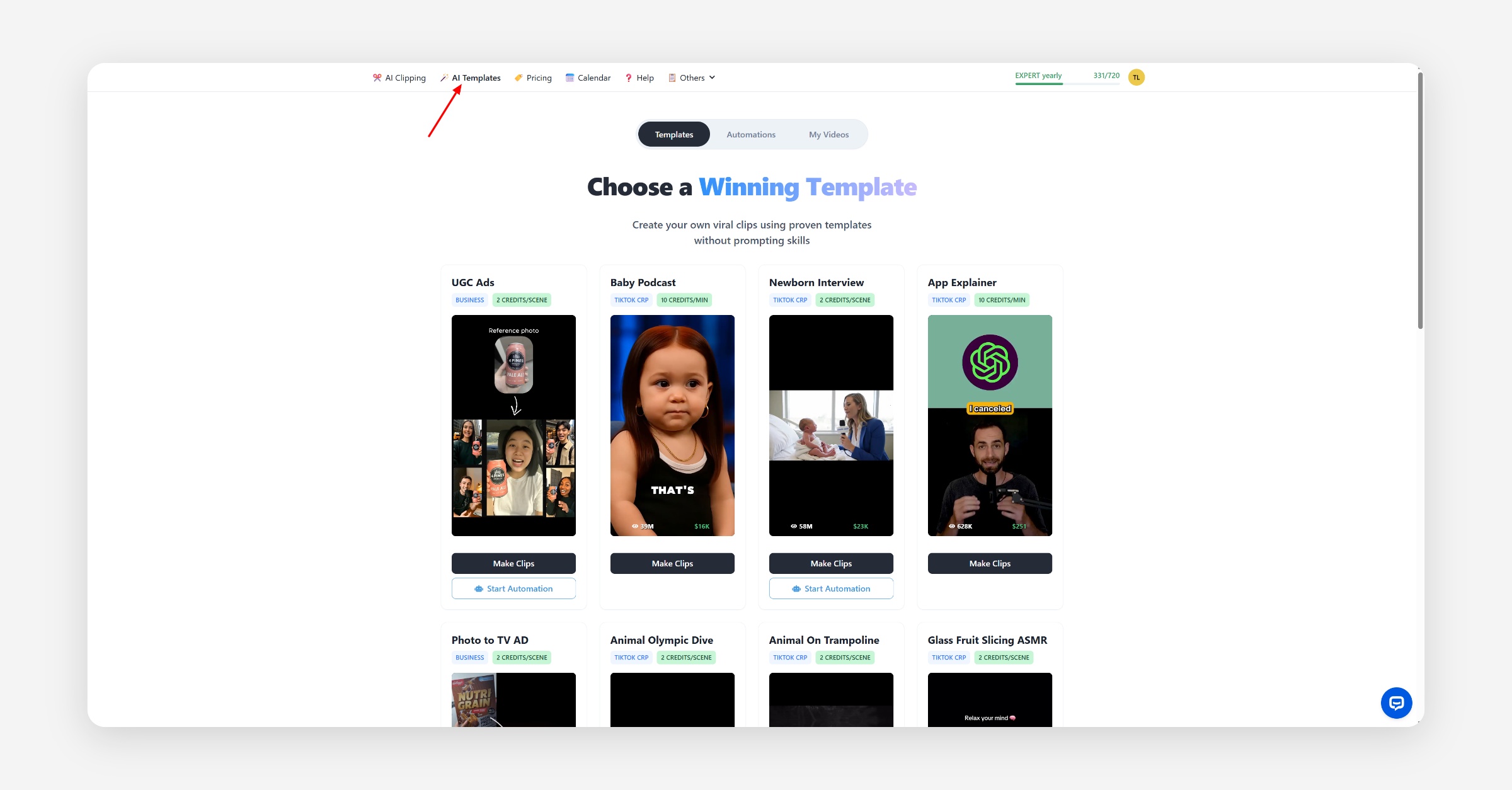
Template Gallery Overview
Each template card includes:
Template Name
Credit Cost (e.g., “2 credits/scene” or “10 credits/min”)
Monetization Badge (suggests best-performing platforms, like TikTok)
Preview Video (hover to watch video with sound)
Performance Stats (like views and earnings, when available)
Action Buttons
Make Clips – Manually create a video from the template.
Start Automation – Set up a scheduled workflow to generate and post videos.
Subscription Requirements
To use AI Templates, you’ll need a subscription with enough credits for the chosen template.
Credits are consumed based on the type of AI Template you use.
For details, see the pricing and credits page.
Navigation Tips
Use Make Clips or Start Automation for fast action.
Was this helpful?