
Manage Subscription, Payment Method, Invoices
How to Manage Subscription, Payment Method, Invoices
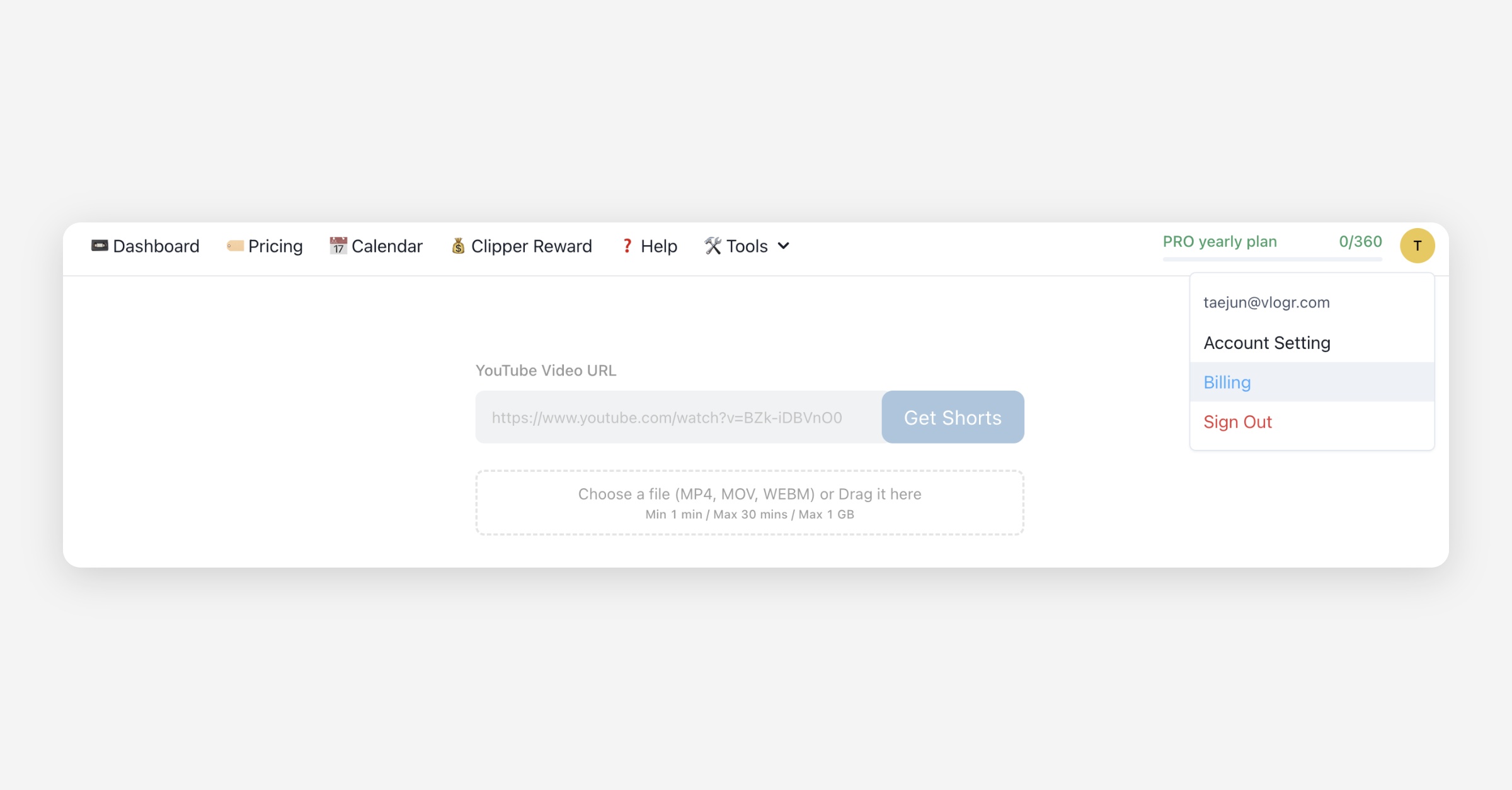
If you click the Billing button in the top right corner of your dashboard, you'll see the Stripe Billing Page, where you can check your current plan, update your payment method, cancel your plan, or download an invoice.
How are subscription payments processed?
Ssemble processes subscription payments automatically via Stripe, using the credit card information you provide and in accordance with your chosen billing cycle. Please note that we currently only accept payment methods supported by Stripe. If any suspicious payment activity is detected by either us or Stripe, due to potential fraud, we reserve the right to suspend your account and forfeit any existing credits.
Why does my card get declined at checkout?
Stripe, not Ssemble, approves or declines the charge. Most declines come from your bank, not from Ssemble or Stripe. The usual causes are:
3D Secure checks. Your bank asks you to confirm the payment through an app, SMS code, or a popup, and the charge fails if you close the window or the confirmation times out.
Bank blocks on international payments. If your card was issued in a different country from Ssemble's billing region, some banks block the charge automatically.
Bank blocks on online or recurring payments. Some banks flag subscription charges or card-not-present payments and decline them until you approve the merchant.
A failed attempt does not create a charge. When Stripe cancels a payment attempt, no money leaves your account, so you will not see a pending or duplicate transaction from a failed try.
How to fix a declined payment
Retry the checkout. Many declines are temporary and go through on a second attempt.
Try a different browser, or disable extensions that might block the 3D Secure popup.
Try a different card if you have one, since the issue is often specific to one bank.
Call your bank and ask them to allow the charge. Tell them it's a recurring or online payment to Ssemble, since banks can lift the block once you confirm it's a payment you authorized.
Why is my card shown as credit instead of debit?
Stripe classifies cards by how the card network (Visa, Mastercard, etc.) registers them, not by what your bank calls the card. Some debit cards are registered with the network as credit cards, so Stripe's checkout page can display a debit card as "credit." This does not change how the card is charged: the payment still draws from your bank account or card balance as usual. If you're unsure, check with your bank about how a specific card is registered with the network.
Where do payment links come from?
If Ssemble sends you a payment link, for example to complete a Top-Up or fix a failed subscription payment, it opens a Stripe-hosted checkout page. It's safe to enter your card details there since it's the same Stripe checkout Ssemble uses for subscriptions. Only use payment links sent directly from Ssemble or shown in your dashboard.
Billing periods are fixed
Each billing period runs for a fixed length: one month on monthly plans, one year on yearly plans. It does not extend or pause for unused time.
If you subscribe partway through a period, or use the account for only part of it, the remaining days on that cycle are not added to the next one. The next period starts on your regular renewal date regardless of how much of the current period you used.
What happens when a renewal fails?
If Stripe cannot charge your payment method on the renewal date, your subscription becomes past due. A past-due subscription is not active: clip generation and other paid features stop working until the payment goes through.
You have two options once a renewal fails:
Update your payment method. Go to the Billing page, add a valid card, and Stripe will retry the charge to resume your subscription.
Do nothing. If the payment method is never updated, the subscription lapses and your account reverts to its free/inactive state.
A failed renewal does not cancel your subscription automatically. It stays past due until you fix the payment method or let it lapse.
Ssemble asks me to upgrade, but I already paid
This almost always means you're signed into a different account from the one that holds your subscription. Ssemble checks the plan on the account you're currently logged into, so if you subscribed on one login and later sign in with another, the app shows the free plan and prompts you to upgrade even though you're already paying.
The most common cause is Apple's Hide My Email. Each time you sign in with "Sign in with Apple" and choose to hide your email, Apple can generate a new relay address. If that relay address doesn't match the one you originally signed up with, Ssemble treats it as a separate account with no subscription attached.
How to fix it:
Check which email you used when you first subscribed, look for your Ssemble receipt or welcome email.
Sign out and sign back in using that original email or sign-in method (Google, Apple, or email/password).
If you can't find or access the original login, contact Support and send a copy of your payment receipt email. Support can locate the subscription and reattach it to the account you're currently using.
If you use "Sign in with Apple," choose Share My Email instead of Hide My Email so your login email stays consistent across sessions.
Was this helpful?