

Ssemble can make clips from videos spoken in 53 languages. Captions, hook titles and clip titles are written in the language you choose for the video.
Supported languages
| Afrikaans | Albanian | Arabic |
| Armenian | Azerbaijani | Bosnian |
| Bulgarian | Catalan | Chinese |
| Croatian | Czech | Danish |
| Dutch | English | Estonian |
| Faroese | Filipino | Finnish |
| French | Galician | Georgian |
| German | Greek | Hebrew |
| Hindi | Hungarian | Icelandic |
| Indonesian | Italian | Japanese |
| Korean | Latvian | Lithuanian |
| Macedonian | Malay | Maltese |
| Marathi | Nepali | Norwegian |
| Polish | Portuguese | Romanian |
| Russian | Serbian | Slovak |
| Slovenian | Spanish | Swahili |
| Swedish | Turkish | Ukrainian |
| Urdu | Vietnamese |
Arabic, Hebrew and Urdu captions are shown right to left.
Set the language of your video
When you paste a YouTube link, Ssemble fills in Video Language from the video's audio language on YouTube. The list only offers the audio languages YouTube has for that video, so most videos show one language, and videos with dubbed audio show each dubbed language. Check that the language matches what is spoken before you click Get Shorts.
When you upload a video file, you can choose any of the 53 languages.
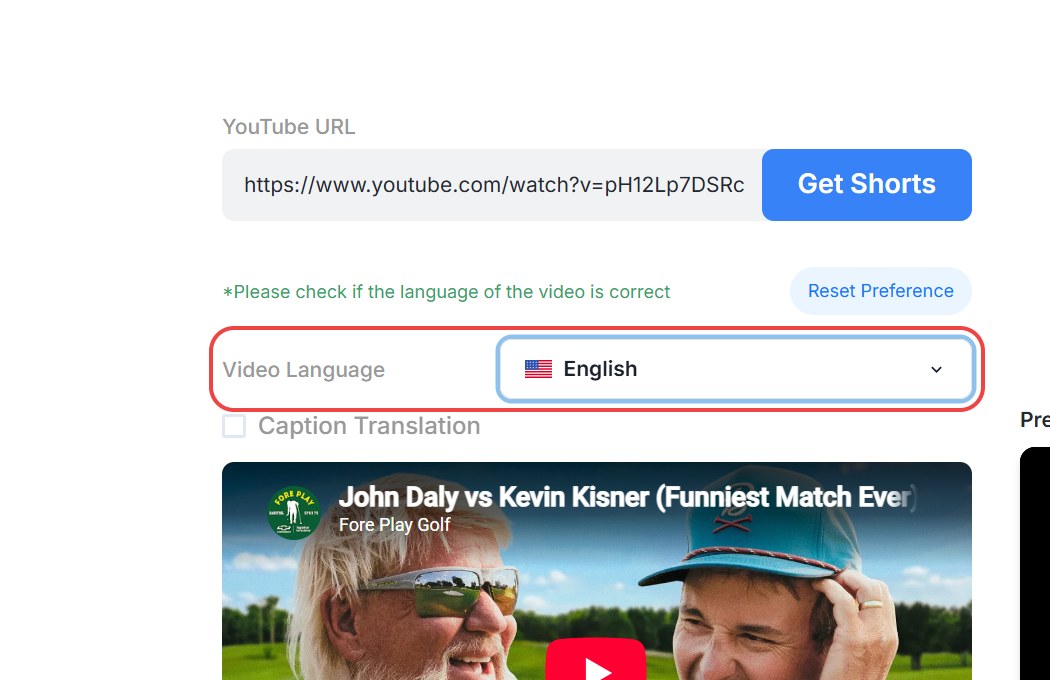
If the language shown for a YouTube link is wrong, the language set on YouTube is wrong. Upload the video file instead and choose the right language. A finished project can't be switched to another language, so check this before you submit. See Why are my clips in the wrong language?
Translate captions into another language
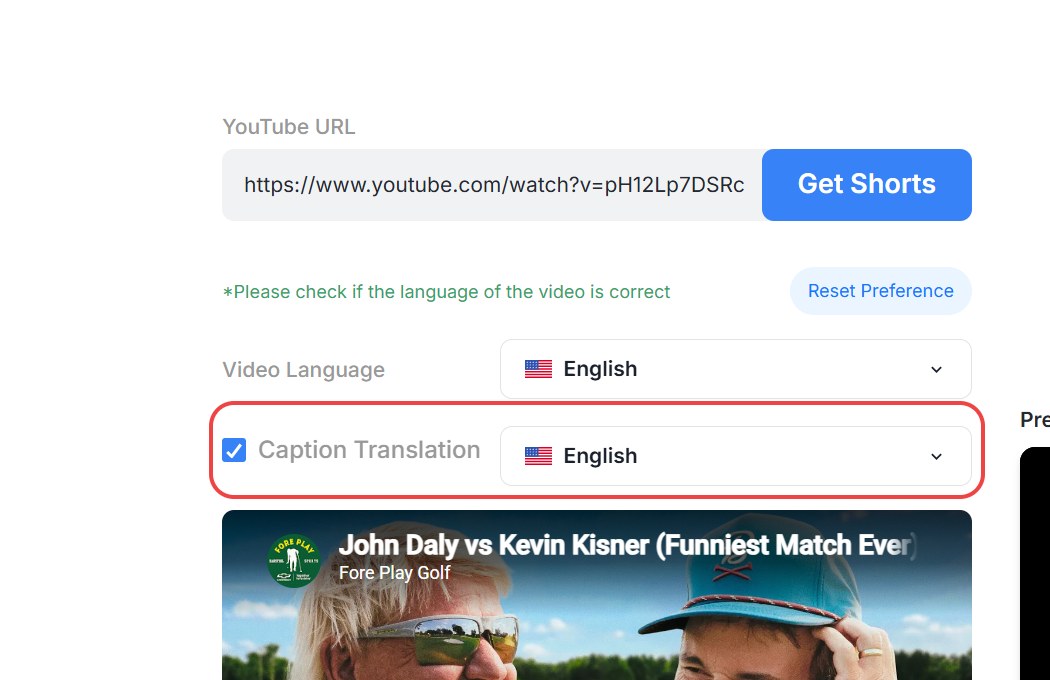
To show captions in a different language from the one spoken in the video, tick Caption Translation and pick the language. You can translate into any of the languages above. The audio stays in the original language.
"The language in this video is not supported"
You'll see this message, with a language code, when the YouTube video is set to a language that isn't on the list above.
- If the video really is in that language, Ssemble can't make clips from it yet.
- If the video is actually spoken in a supported language, the language set on YouTube is wrong. Download the video and upload the file on the
Get Shortspage instead, then choose the rightVideo Language. You can also contact support with the video link.
Channel Automation skips new videos whose YouTube language isn't supported.