
How to share AI Videos to social accounts
To post the AI created videos to YouTube, Instagram, or TikTok, follow the steps below.
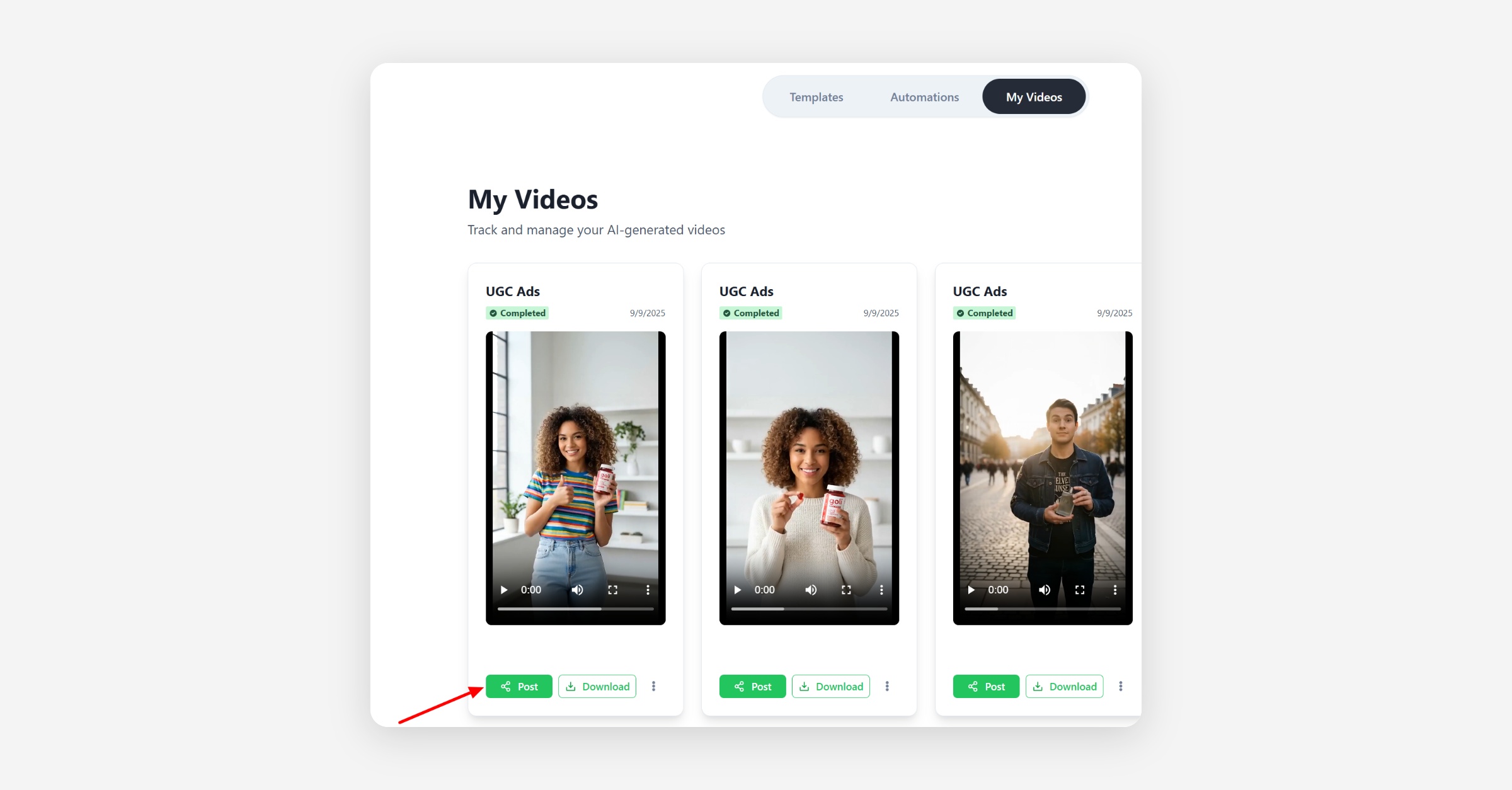
Click Share Button
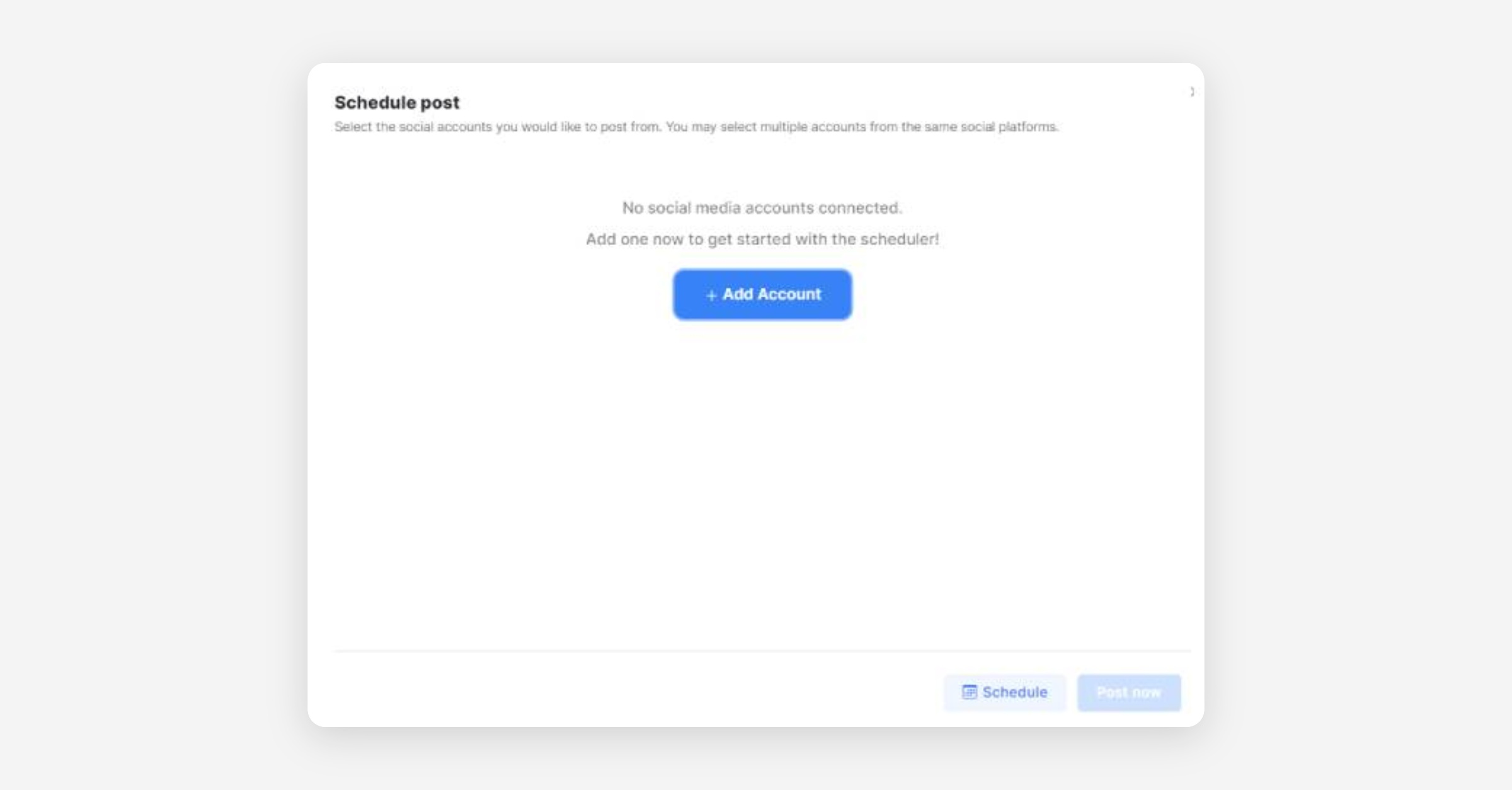
First, click the Post button below the clip
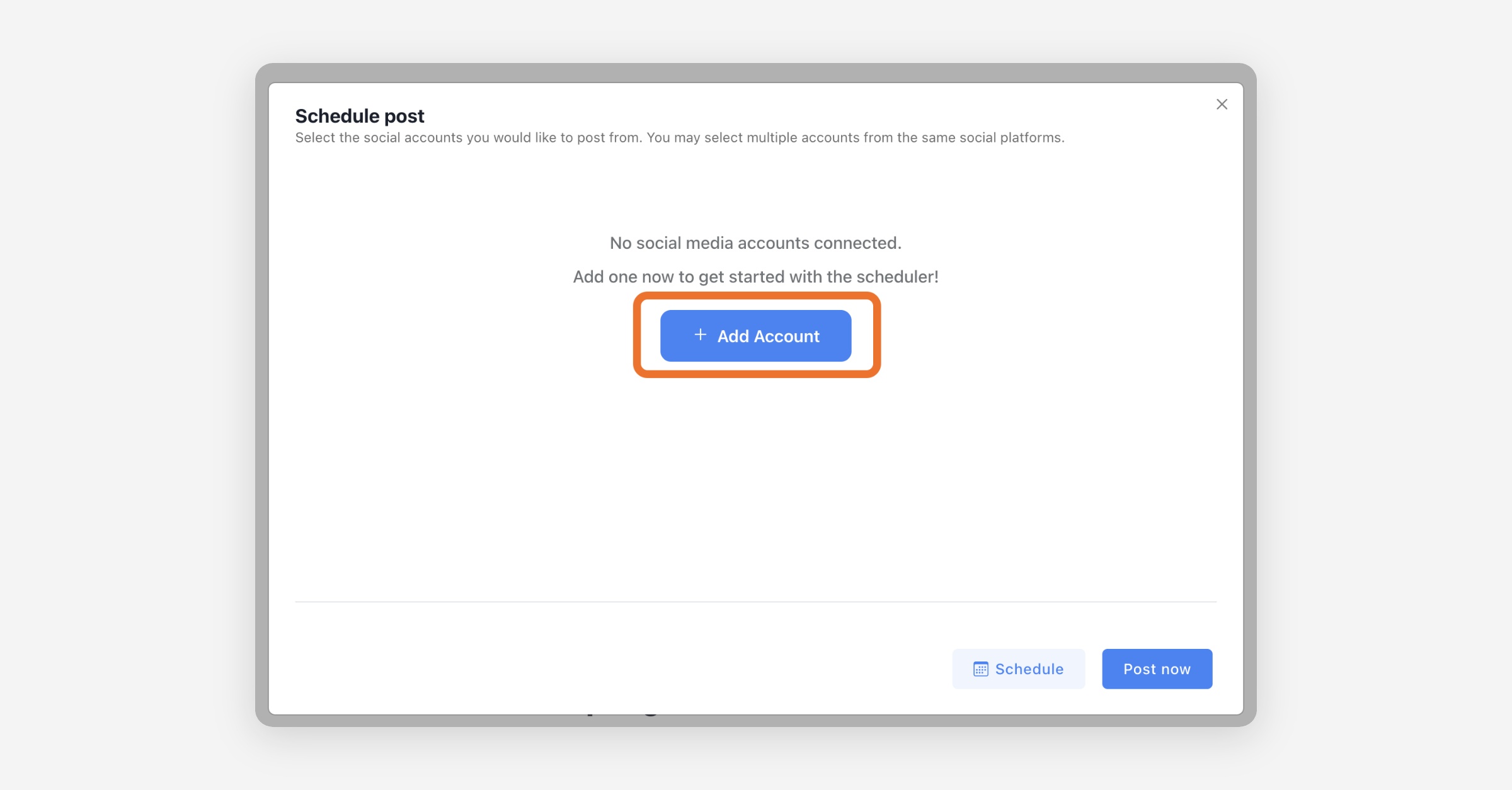
Connect Social Accounts
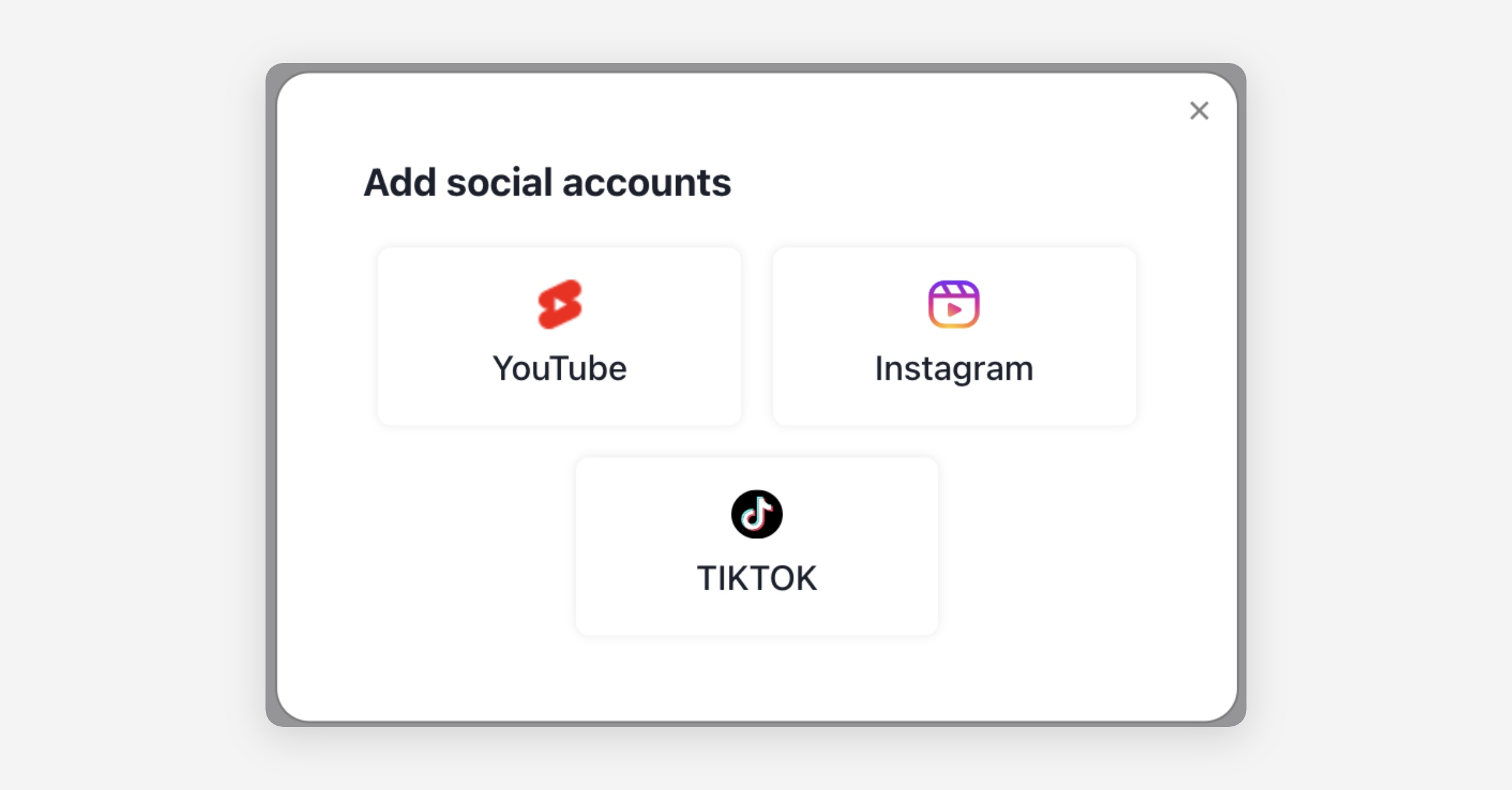
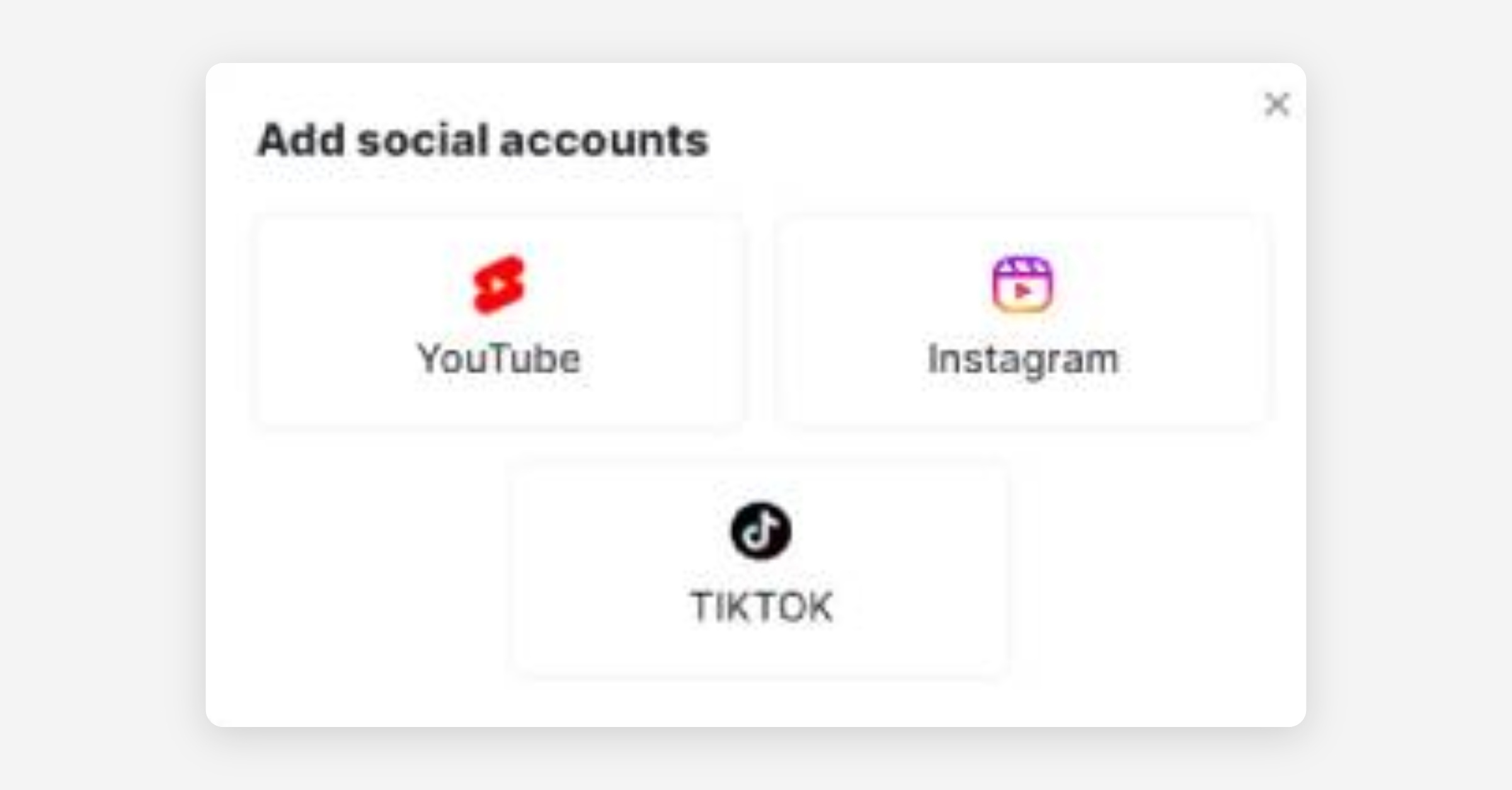
Then connect your account on the platform of your choice
After you add your platform account, your video's title, description, and hashtags are automatically populated. You can further customize these to your liking.
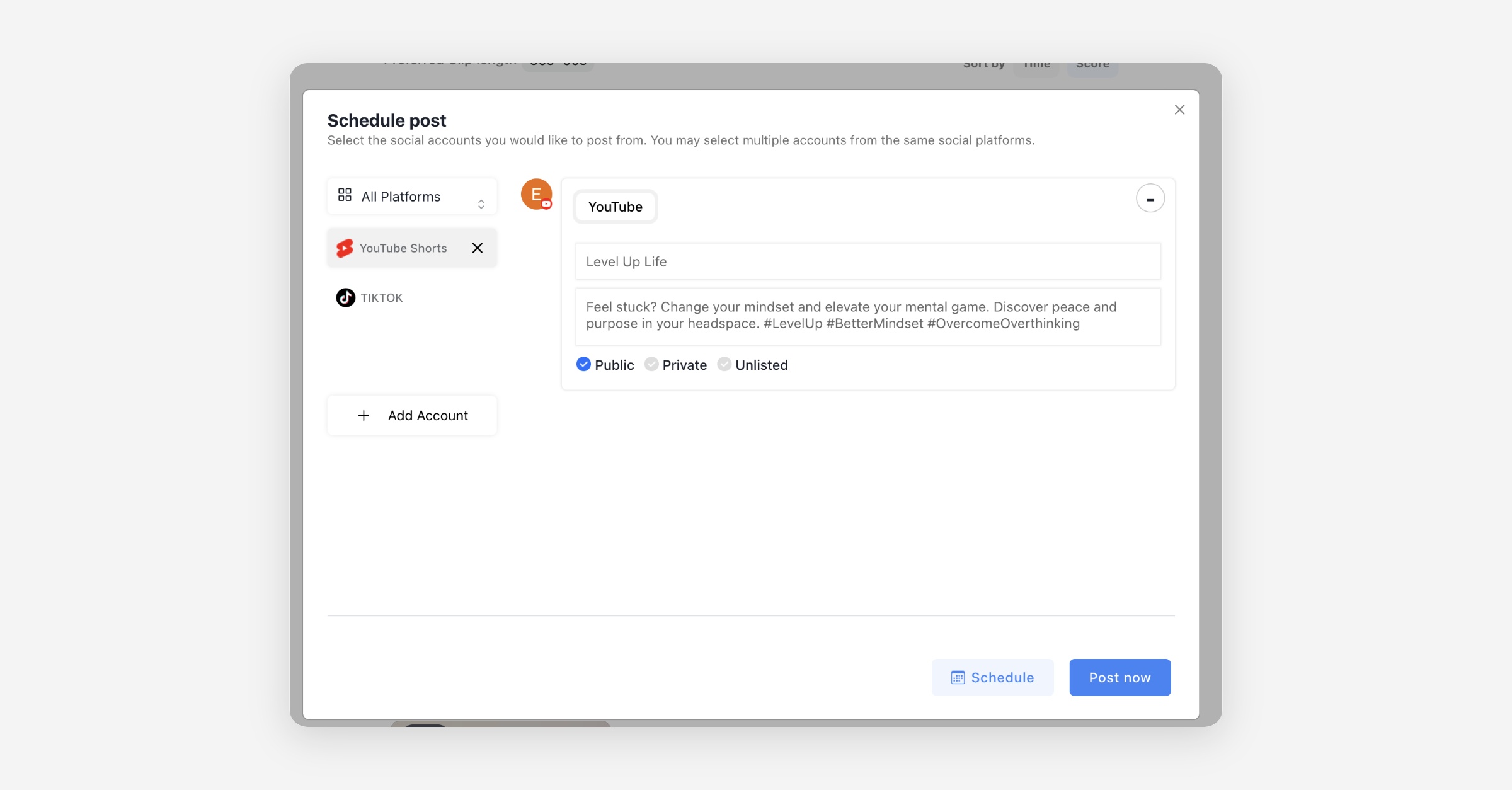
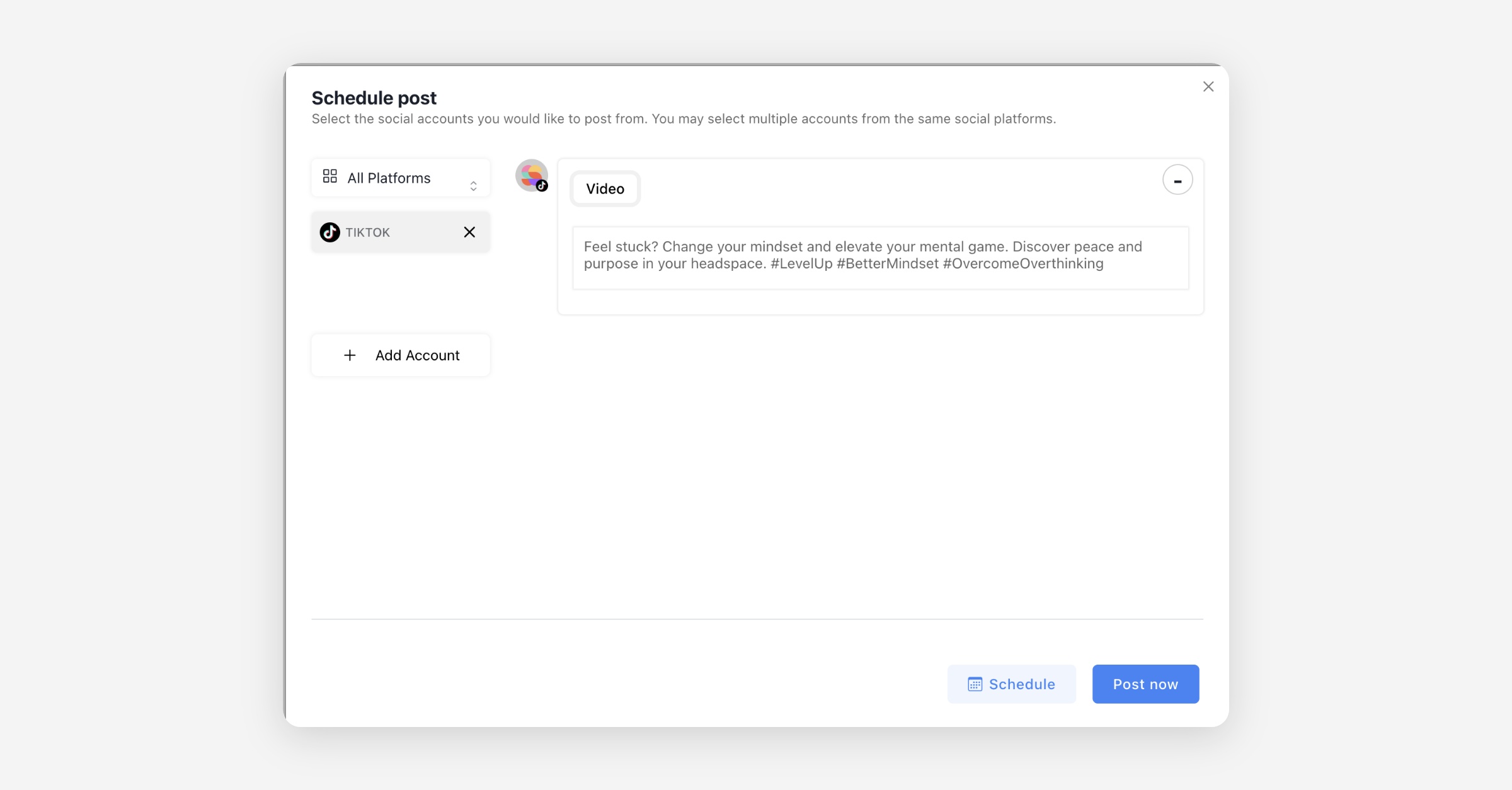
You can distribute the video immediately, or you can schedule the distribution for a time of your choosing.
If you don’t change the time and click Post now button, it is immediately posted
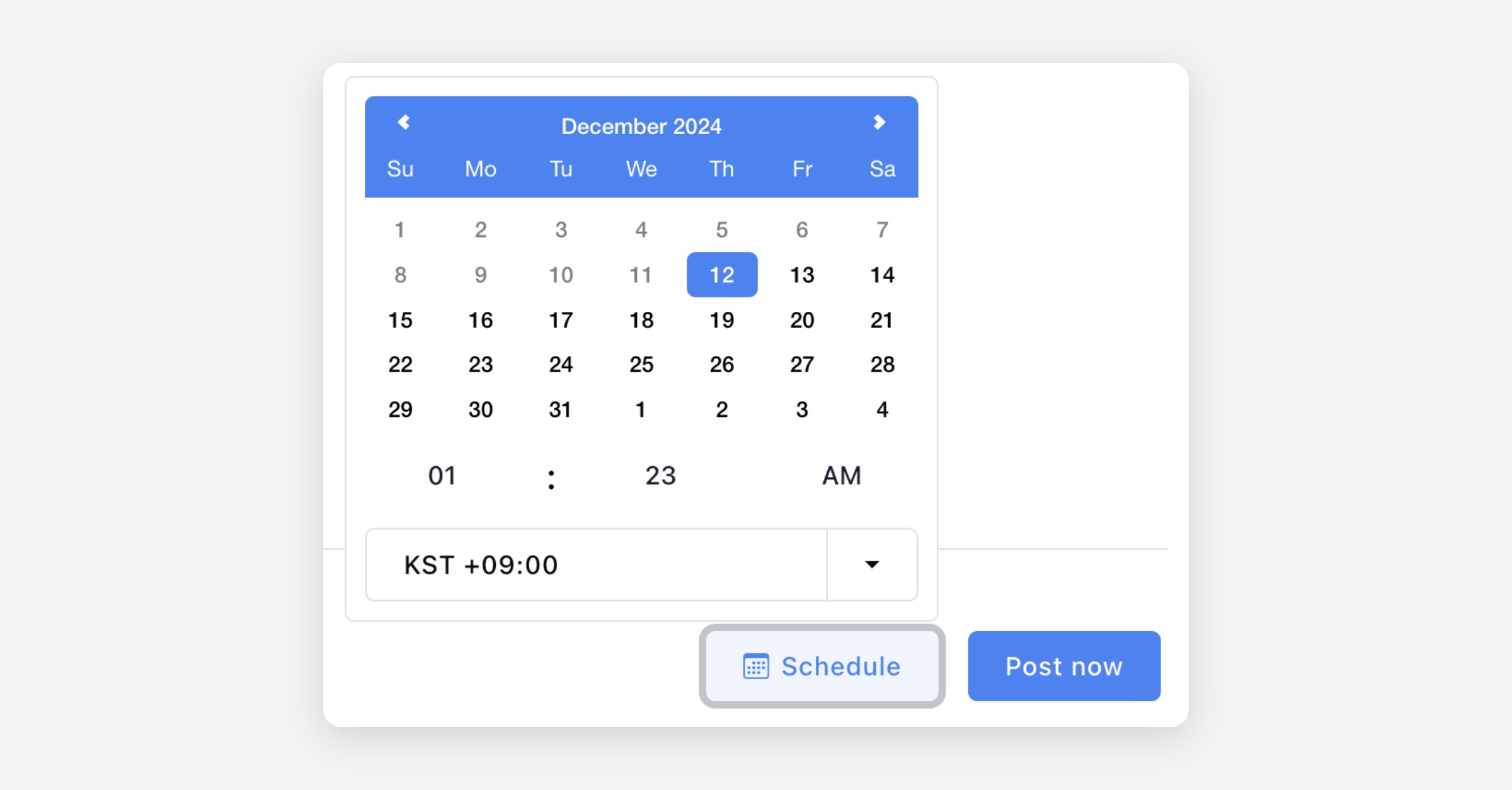
If you change the scheduled time and click Schedule button, it will be posted at the selected time
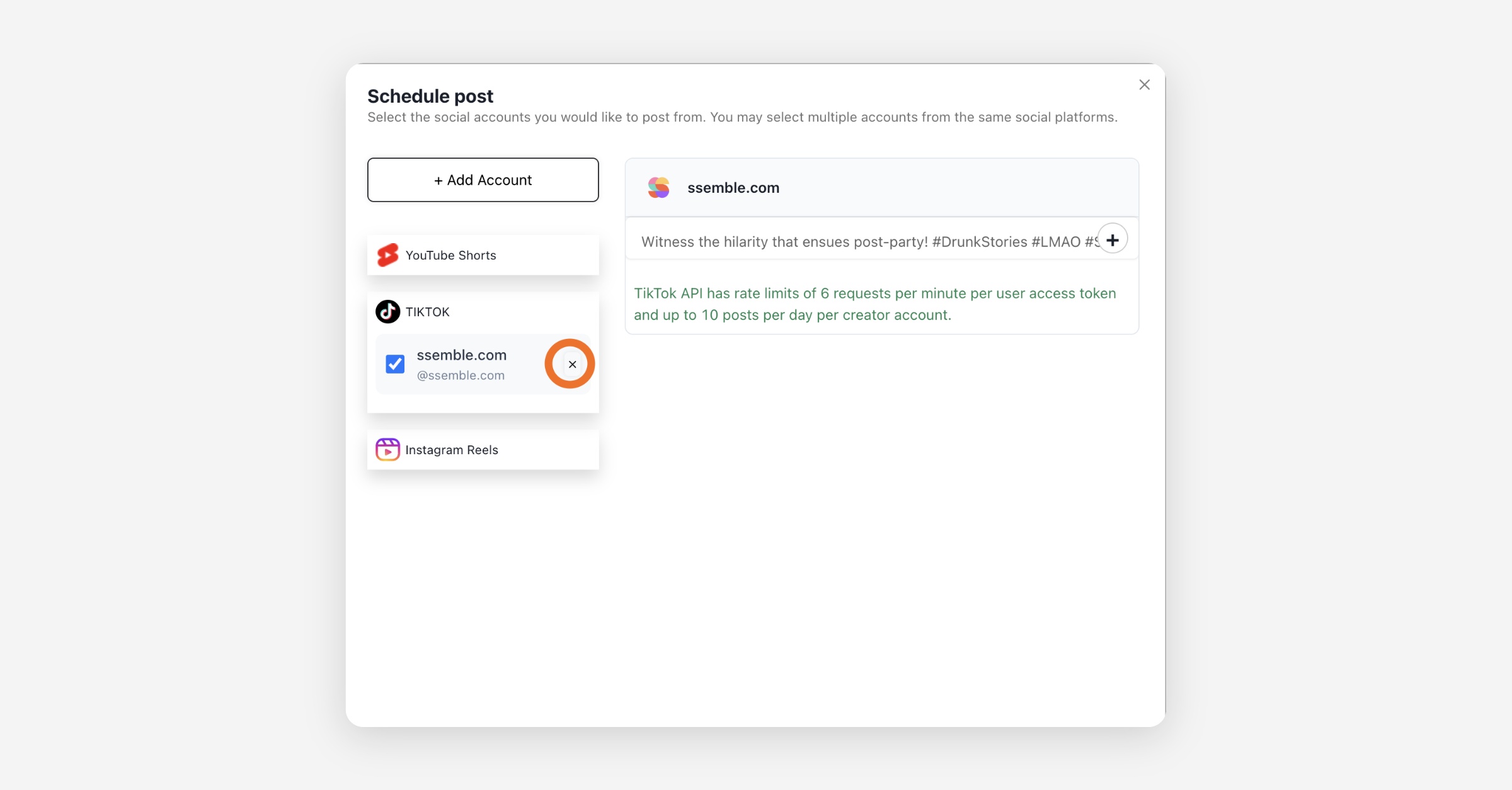
Disconnect Social Accounts
You can easily disconnect your social accounts by clicking the X buttons
Rate Limits
To comply with each platform's upload rate limit policies, we currently enforce a limit of 3 uploads per minute and 10 uploads per day. However, since platforms do not clearly disclose their exact per-account rate limits (per minute/hour/day), they may sometimes independently determine that frequent uploads constitute spam and reject uploads accordingly.
Therefore, we recommend scheduling uploads at a more conservative rate of no more than once per minute and five times per day per account.
Sources
Connect TikTok Account to Ssemble
Visit tiktok.com
Log into tiktok.com. You'll see several login options for TikTok:
Login using a QR Code
Login with Username and Password
Continue with Facebook
Continue with Google
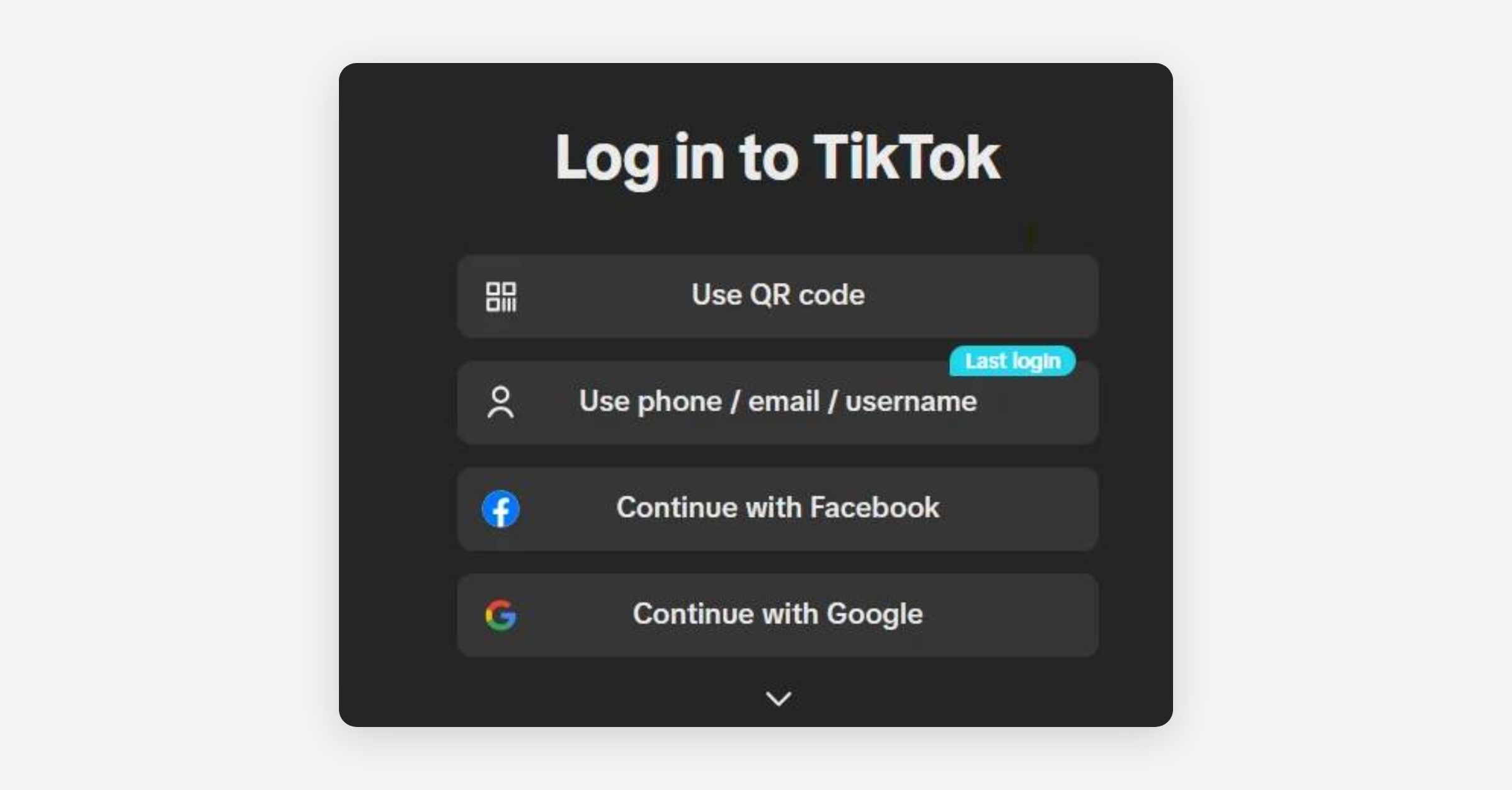
Choose the option you're most comfortable with. After successfully logging in, head over to ssemble.com and select your generated short from the landing page.
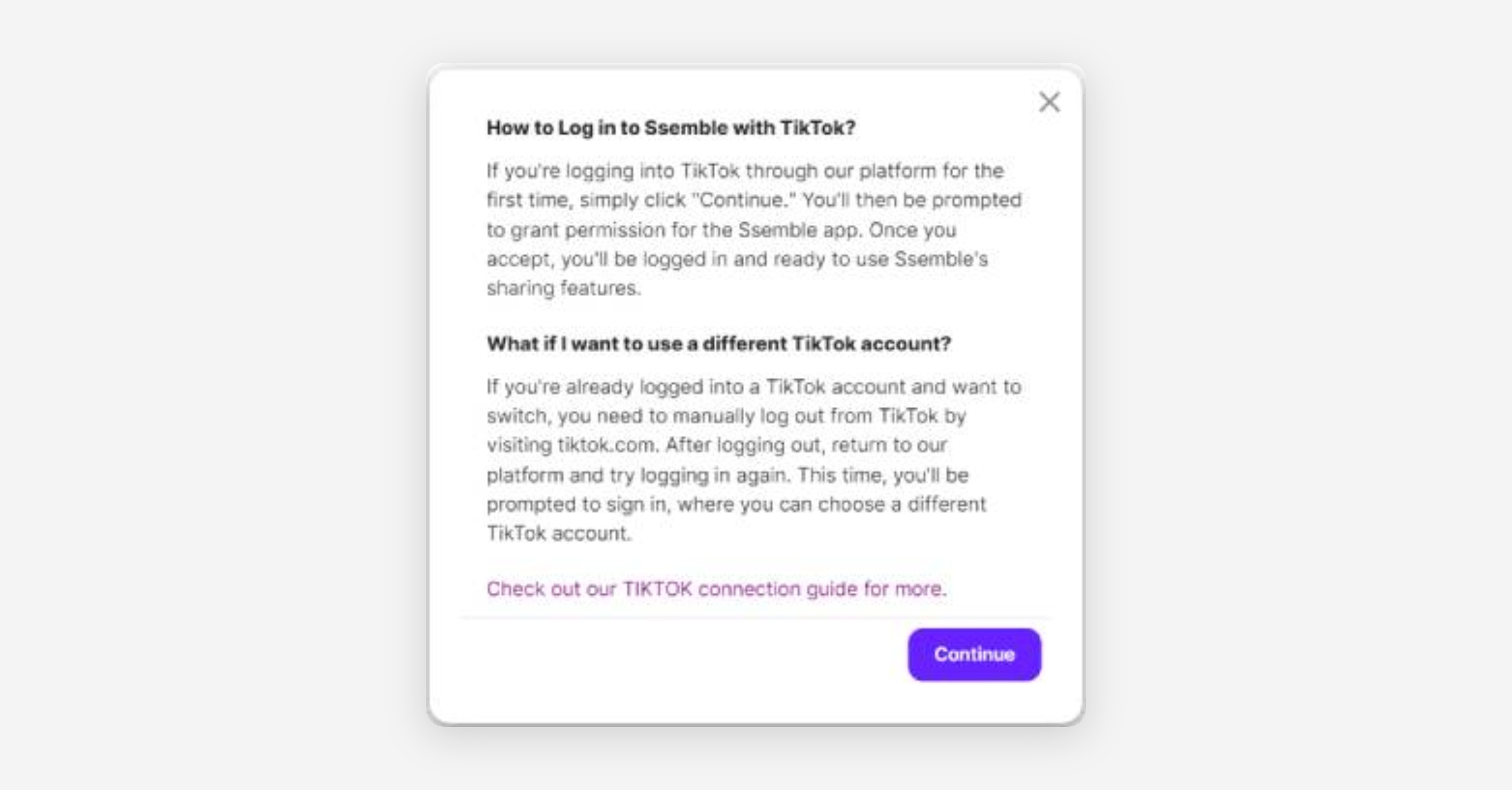
Click the share icon, and a popup will appear. Choose "Add account" and select the TikTok option. A brief informational popup will appear.
Click "Continue" and accept the consent. After a few seconds, you'll be connected to the Ssemble sharing feature.
Troubleshooting:
If connection fails, try logging out and back in to both TikTok and Ssemble
Clear your browser cache if you experience any issues
Check your internet connection stability
Make sure you've granted all necessary permissions
Connect Instagram Account to Ssemble
Preparing Your Instagram Account for Ssemble Integration
Instagram’s API has strict requirements for account connections, especially when posting videos and managing content through third-party platforms like Ssemble. To ensure a smooth integration, follow the steps below.
Step 1: Convert Your Instagram Account to a Business or Creator Account
A Personal Instagram account does not support API access. You must switch to a Professional Account (either Business or Creator).
How to Convert to a Business/Creator Account
Open the Instagram app.
Go to your Profile.
Tap the Menu (three horizontal lines) in the top right corner
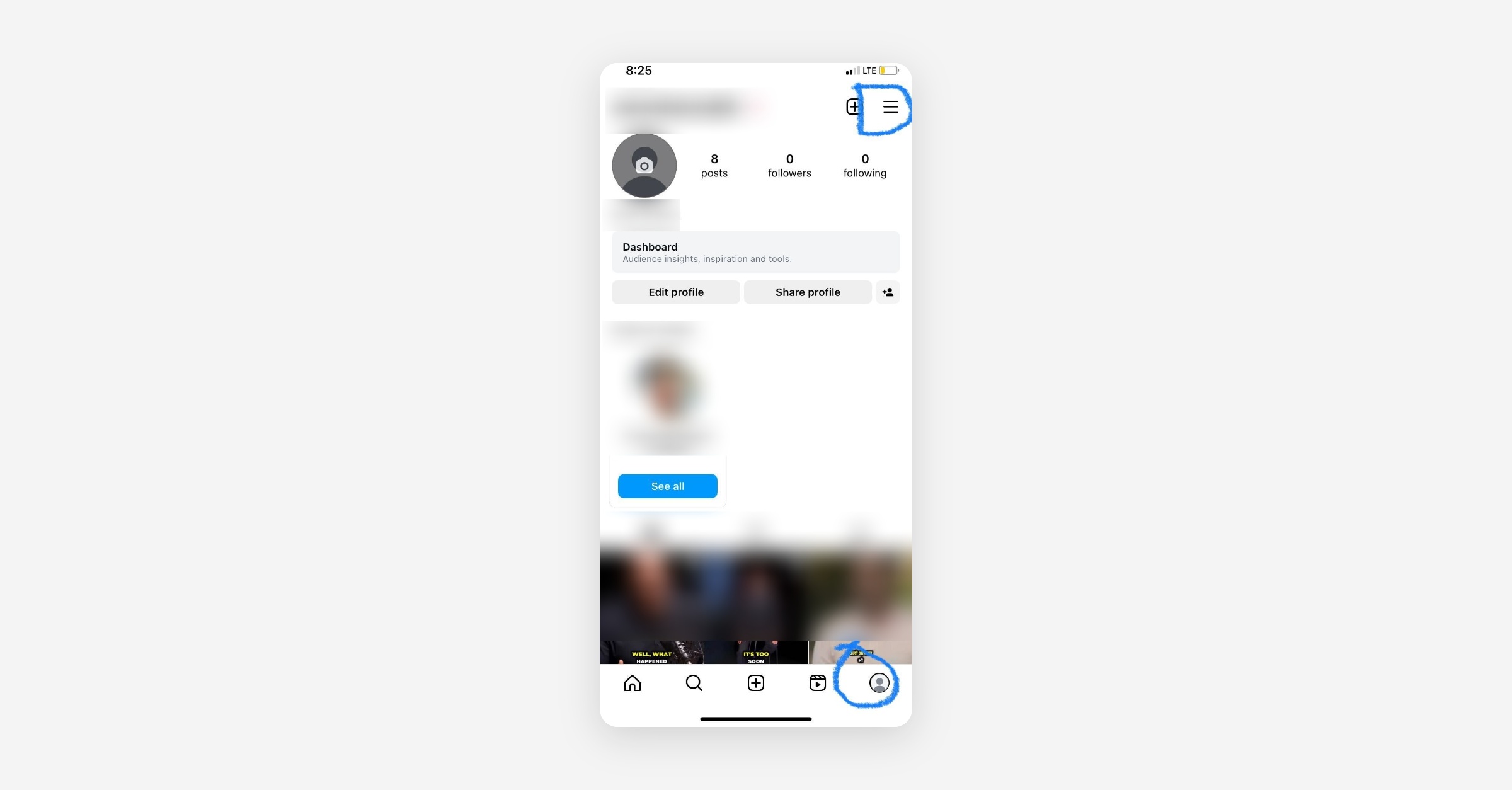
Select Settings and privacy.
Tap Account type and tools.
Choose Switch to professional account
Select either Business or Creator
Follow the on-screen steps and complete the setup.
Was this helpful?